WebGPU notes / 05
WebGPU Texture Arrays in Rust and wgpu
A texture array keeps images in separate layers of one GPU texture. This Rust and wgpu example draws seven stacked quads in a single instanced draw call, using a layer index to choose a different image for each quad.
Seven layers in one draw
The cubemap example used a direction to select a face of an environment. A 2D texture array instead uses familiar UV coordinates plus an explicit layer index. Here I use that index to choose among seven images while keeping the same texture bound.
The stack makes the layers easy to see. Each quad is a separate instance of the same four vertices and six indices. Model matrices create the spacing and tilt; the texture layers themselves contain image data, with no positions in the 3D scene.
This is a fixed scene with no input controls or automatic animation. The camera position and plane scale adapt to wide and portrait viewports. The application runs through sib::render.

Prepare the image layers
The Rust example builds the array from two downloaded images, three solid colors, and two procedural patterns. Every layer is 256 × 256 pixels, controlled by LAYER_SIZE.
Scroll sideways to see all table columns.
| Layer | Image content | Source |
|---|---|---|
| 0 | SIB husky PNG | Downloaded at startup |
| 1 | Bridge2 sky JPEG | Downloaded at startup |
| 2 | Solid red | Generated on the CPU |
| 3 | Solid green | Generated on the CPU |
| 4 | Solid blue | Generated on the CPU |
| 5 | Wave, checkerboard, and radial gradient | Generated on the CPU |
| 6 | Checkerboard, rings, and inverse wave | Generated on the CPU |

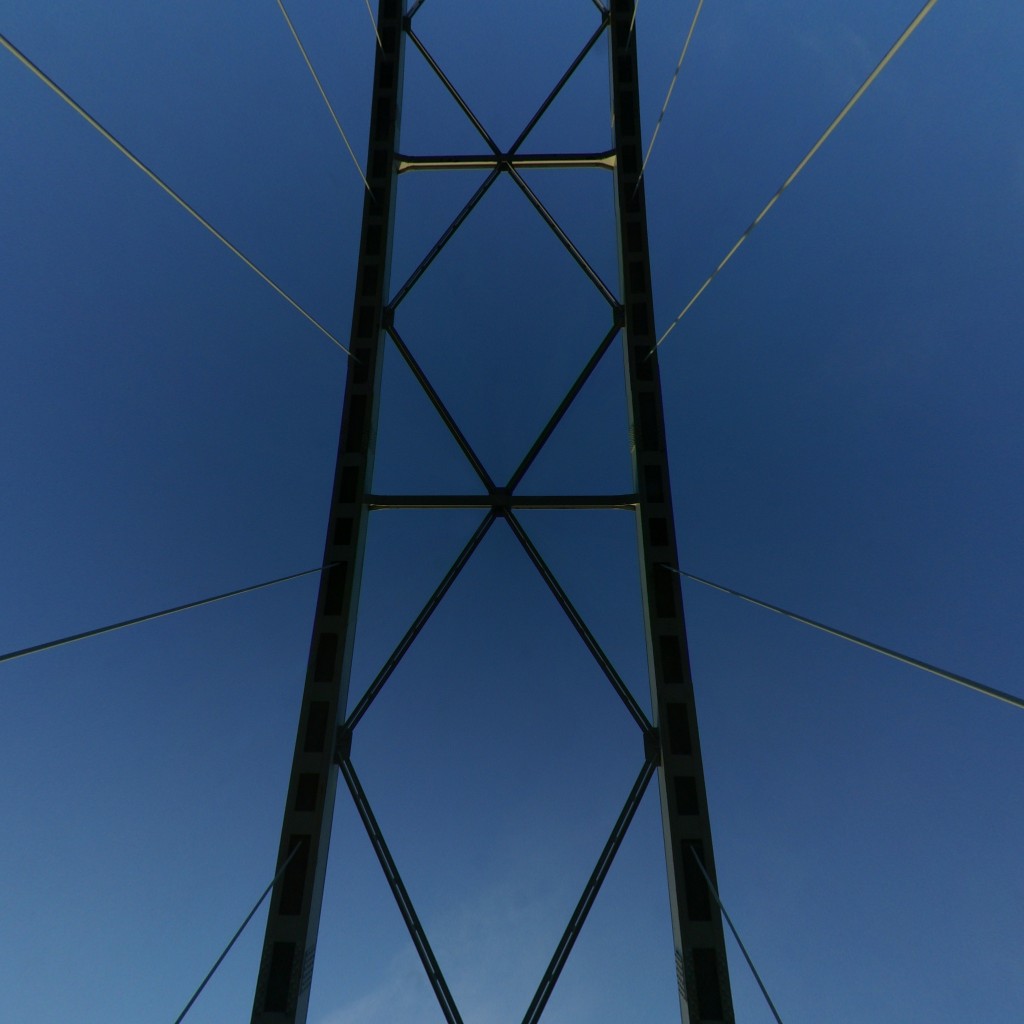
AssetLoader::fetch_images_rgba8_resized_batch fetches the two remote images, decodes them to RGBA8, and resizes them to the common dimensions. The asset loader preserves request order when collecting the results, so the husky remains layer 0 and the bridge image layer 1.
This resize forces square dimensions rather than preserving an arbitrary source image’s aspect ratio. The other five layers are generated directly at the target size. All preparation happens before the renderer starts; a failed remote download or decode prevents startup even though the remaining layers are generated locally.
Create a 2D texture array
Once the images are ready, initialization uploads them together:
let texture_array = texture::Texture::from_rgba8_array(
    &context.device,
    &context.queue,
    Some("runtime texture array"),
    &images.layers,
)?;
The texture helper used by this checkout validates matching dimensions and creates one TextureDimension::D2 allocation with seven array layers. Its format is Rgba8UnormSrgb, and its usage includes TEXTURE_BINDING | COPY_DST. Each image is uploaded to its own layer.
A TextureViewDimension::D2Array view exposes all seven layers to the shader. They share dimensions, format, and mip count because they belong to one texture. This differs from an array of bindings to separate texture resources.
The helper creates just one mip level. Its shared sampler uses ClampToEdge addressing and linear minification and magnification filters. No mipmap generation takes place in this example.
Bind group 0 contains the uniform buffer at binding 0, the array view at binding 1, and the sampler at binding 2. The uniforms are read by the vertex shader; the texture and sampler are read by the fragment shader.
Position the quads with instance data
The quad’s vertex buffer has a stride of 32 bytes: position, UV, and normal occupy 12, 8, and 12 bytes. That geometry is reused for every plane. Each instance has its own model matrix and texture layer selection stored in the uniform buffer:
#[repr(C)]
struct InstanceData {
    model: [[f32; 4]; 4],
    array_index: [f32; 4],
}
Uniforms contains the combined view and projection matrix and seven of these records. Only array_index.x carries the layer number. There is no separate vertex buffer for instance data in this example.
The vertex shader receives @builtin(instance_index) and uses it to read the corresponding uniform record:
let instance_id = min(instance_index, 6u);
let instance = uniforms.instances[instance_id];
// The model transforms this quad; the layer selects its image.
output.layer = instance.array_index.x;
The model matrices tilt the planes by −58° around X and separate them through the scene. After binding the pipeline, resources, vertex buffer, and index buffer, one call draws the seven instances:
render_pass.draw_indexed(
    0..INDICES.len() as u32, 0, 0..MAX_LAYERS as u32
);
The last range is the instance range. Each instance draws the same six indices, giving fourteen triangles in total. Depth writes and LessEqual depth testing keep overlapping planes ordered correctly.
Select a texture layer in WGSL
The WGSL shader declares a texture_2d_array<f32>. Its fragment shader supplies UV coordinates and a separate integer layer index to textureSample:
let layer = i32(input.layer + 0.5);
let color = textureSample(
    texture_array, texture_array_sampler, input.uv, layer
);
The source passes the layer number as an f32 vertex output, then rounds it to an integer here. Every vertex of an instance carries the same layer value, so it stays constant across that instance’s triangles.
Linear filtering blends texels within the selected layer. It does not blend neighboring array layers. To blend two images, sample their layers separately and combine the results in the shader.
The sampled RGB is multiplied by a simple ambient and directional diffuse lighting factor, 0.24 + light * 0.76. The shader passes through the sampled alpha, but this pipeline does not configure alpha blending. The example focuses on choosing images from an array, rather than transparent compositing.
Run and modify the example
From a local checkout with Rust installed, run the native version:
cargo run --example texturearrayFor WebAssembly, install the wasm32-unknown-unknown target and the wasm-bindgen CLI version matching Cargo.lock, then build and serve:
scripts/build-wasm.sh --release texturearray
cargo run --bin serve
Open http://127.0.0.1:8080/texturearray/. Both versions need access to the two image URLs. In the browser, those hosts must allow the image fetches through CORS. Live rendering also needs WebGPU support; this article and screenshot remain readable without it.
Try these changes in the source:
- Edit
GENERATED_COLORSto replace the red, green, and blue layers. - Change
LAYER_SIZEto compare image detail at another resolution. Both downloaded and generated layers use this constant. - Change the values assigned to
instance.array_indexwhile leaving the model matrices alone, separating image selection from quad placement.
Seven is this demo’s chosen capacity, not WebGPU’s maximum layer count. If you expand it, keep Rust’s MAX_LAYERS, the WGSL array<Instance, 7>, the shader’s 6u clamp, and the draw’s instance range consistent.